- TESTED the whole chain below, start to bin, 2026-11-04
- IN-GAME each step heading is the objective card's text, verbatim
- OFFICIAL ONLY the portal supplies only the control list this page quotes
- NEEDS CHECK where the shop opens, and what the first customer does
The opening screen
A guest account lands on a save list, not a menu: one slot named MyMarket with
LVL: 1 and DAY: 1, two empty + slots, and a bin icon that deletes a save.
Opening the slot plays a two-card welcome whose only number is the town's name,
Playville. The HUD is already live behind it: SHOP LVL 1, an empty level bar,
$25.00 and a clock stopped at 09:00.
That clock is worth noting. It stays at 09:00 through the whole tutorial, so
the first ten minutes cost you no game time at all.
What the card asks, in order
The objective card is the spine of the tutorial, and it changes word for word as you finish each step:
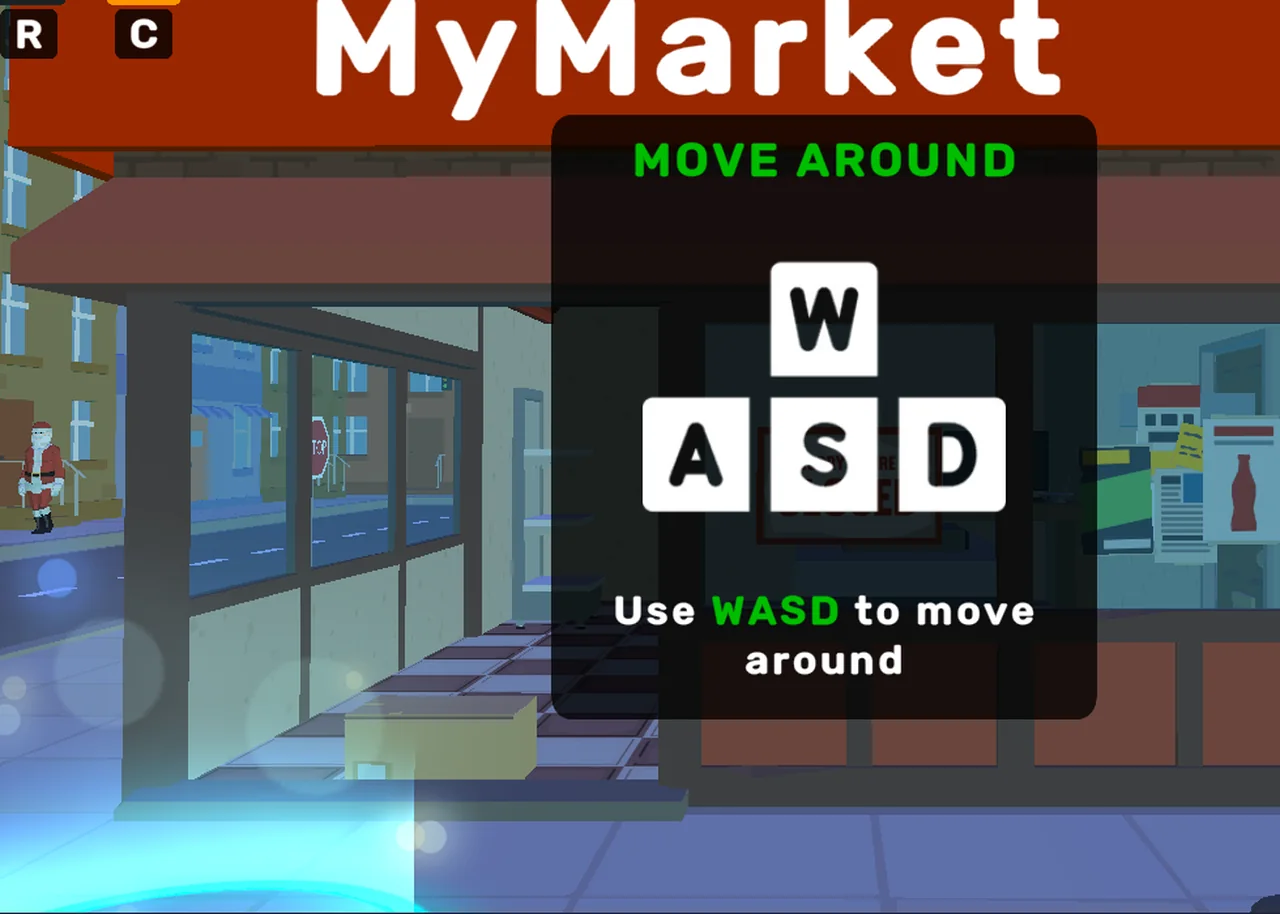
Look around— mouse only, no click.Move to the blue area—WASD; a blue disc on the pavement marks the spot.Name your Supermarket— look at the sign, click it, the sign becomes an input field, type and pressDONE.MyMarketis only the default name.Choose when you want to work— the A-frame board on the pavement.Pick up that box— a cardboard box sits on the shop floor.Press E to open the box— you carry it;Ecuts it open and shows the contents (a row of milk cartons in our run).Dispatch all products to the shelf by clicking on it— the rack glows green while the box is open; a click sends the goods across.Throw your empty box into the bin outside— the empty box comes back to your hands and has to leave the shop.
Eight objectives, and none of them is optional: the shop does not trade until the chain is done.
The three numbers you start with
$25.00, SHOP LVL 1, 09:00. The cash figure does not move during the
tutorial, because nothing has been sold yet; the level bar starts empty and the
shop level is the number every later page hangs off.
What this page does not claim
We have not seen the shop open. The objective after the bin is still on the
unfinished side of our capture, so the page that covers the till — what the
first customer asks for and what the counter makes you do — carries
NEEDS CHECK until we get there.
Last checked against the client: 2026-11-04 · client web build 2026-11-04