- TESTED the panel, both steppers and the pavement echo, 2026-11-04
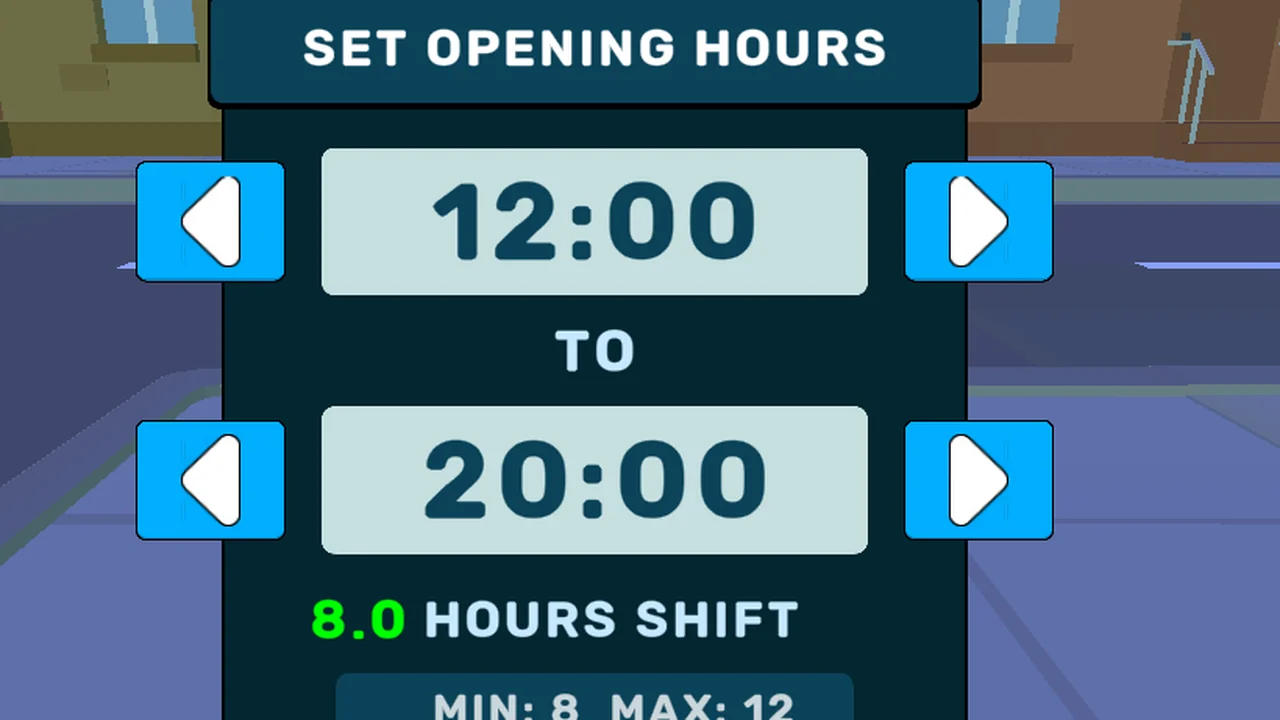
- IN-GAME SET OPENING HOURS, 8.0 HOURS SHIFT, MIN: 8 MAX: 12
- OFFICIAL ONLY no store page describes the shift at all
- NEEDS CHECK whether longer shifts bring more customers, what closing pays out, and what dirt costs
What the panel shows
Look at the A-frame board on the pavement and click it. The panel that opens is
called SET OPENING HOURS and contains exactly four things:
| element | what it reads in a fresh save |
|---|---|
| opening time | 12:00, changed with ◀ ▶ |
| closing time | 20:00, changed with ◀ ▶ |
| the result | 8.0 HOURS SHIFT |
| the limits | MIN: 8 MAX: 12 |
The fourth line is the interesting one. It is the client telling you the range
it will accept, which makes the shift a player decision between 8 and 12
hours, not a fixed working day. Okay commits it.
The pavement sign echoes the setting
Once you commit, the board you clicked flips to OPEN 12:00 to 20:00. That is
the same pair of numbers you just set, printed where a customer (or you, coming
back the next morning) would read it. It is a readout, not decoration.
Why the clock does not move yet
During the whole tutorial the HUD clock stays at 09:00, which is three hours
before the opening time you just chose. In our run, nothing advanced until the
shop was actually opened, so the tutorial is free of game-time cost: you can
walk the shop, name it, stock a shelf and still start your first day at the time
you set.
Choosing a shift: what we can and cannot say
What we can say is structural. A shift has a floor of 8 hours and a ceiling of 12, the panel refuses anything outside that, and the length is yours to pick per day.
There is one more thing the panel settles by omission: it never asks about staff. A fresh save has a single worker — you — and the board will not let you buy a second one, so the first day is always one person behind one counter.
What we cannot say yet is what a longer shift buys you. Two claims are floating
around in other guides — that longer days bring more customers, and that staff
costs scale with the hours — and we have not seen either in the client. Both sit
behind NEEDS CHECK on the money page until we can watch a full day at 8 hours
and another at 12.
Closing time is not the end of the day
The clock reaching the closing hour does not close the shop. When we were still
trading at 20:00, the objective card replaced its tutorial text with a warning
in red:
You can't end the day without dealing all the customers inside the shop
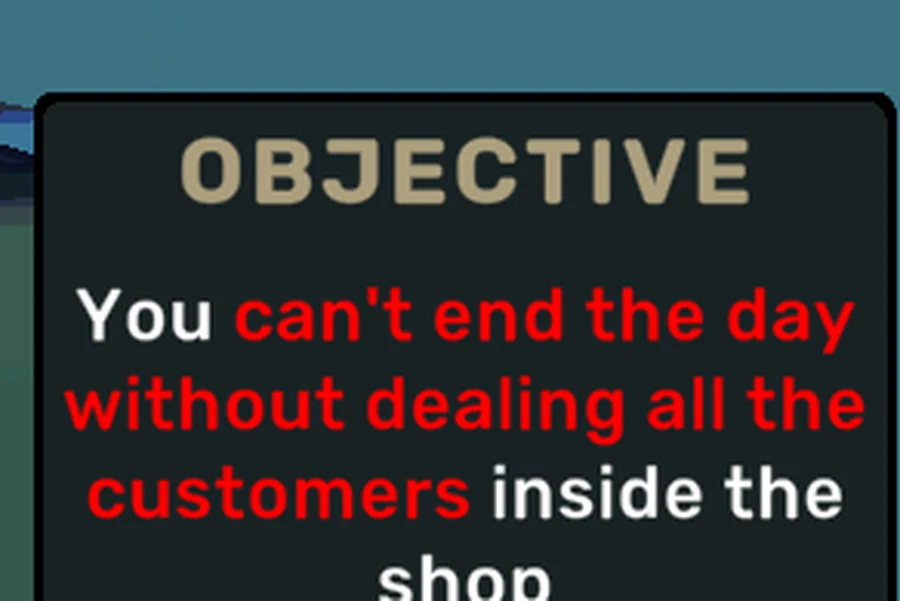
Closing time, with two customers still inside: the game refuses to end the day.
Two things follow from that sentence. Customers already inside the building have to be served before the day ends, so the last transaction of the night can be later than the hour you chose; and the shop is not a timer that stops by itself, it is a state you have to satisfy.
Last checked against the client: 2026-11-04 · client web build 2026-11-04